Remository as Joomla Update Server
Remository can be used to serve software updates in line with the Joomla Update standard. Access is controlled by the Remository access control system. You can specify for each Remository container what groups can access the files. Group membership for users can be managed by a subscription system, such as Membership Pro or by any other means you find practical. The permissions work the same for downloads through Remository or through Joomla Update.
To make the system work, publish the Remository Update Server module (perhaps on the same page as user profile). It will show the user the token they need to use.
The customer needs to save their token in the "System - Remository Update Authentication" plugin. This process is described in the earlier section of this manual, "Installing and Updating". The plugin and token will work for all software distributed using Remository. Additional servers can be added to support the use of Remository as Joomla Update server.
To prepare your system for software distribution, two steps are needed:
- Go to the Remository Options and select the Advanced tab. The first item is "Show file details tab for product ID" and you should set this to yes, then save the options. After this, whenever you update a file in the Remository admin interface, you will find an additional tab for "Product Identification". The entry for Remository itself at the time of writing this manual looks like this:
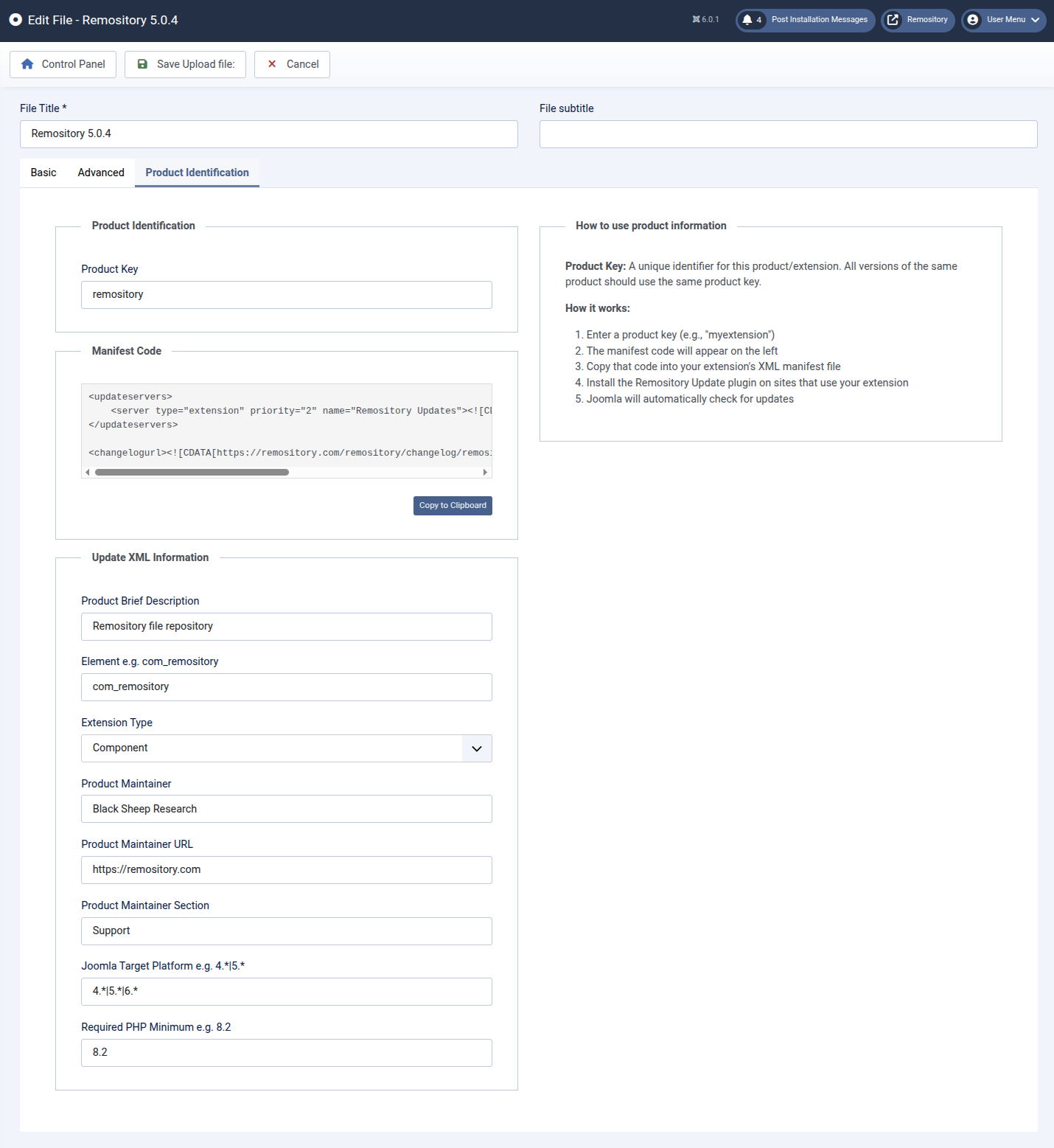
The manifest code is generated automatically for you, and should be inserted in the manifest XML for the product. It assumes that you are also using the Changelog Manager. The other fields should be filled in in similar fashion to the example.
- Make sure the "System-Restful" and "Restful-RemositoryRestXML" plugins are installed and published. They should have been installed along with Remository or the required Black Sheep Research Library.
Operation of Remository as Joomla Update Server
Having followed the setup steps described above, you are ready to operate live. There is no requirement to create XML files to support update - they are automatically generated by Remository and served in accordance with the information provided for the manifest XML. Remository will handle checksums for stored files.
If you also use the Changelog Manager, there are likewise no actual changelog files - they are served on the fly by Remository.