How to Override the Supplied Styles
The Payage administrative interface has a "Front End Styles" page that allows you to add your own CSS rules, while keeping them separate from updates to the supplied CSS file.
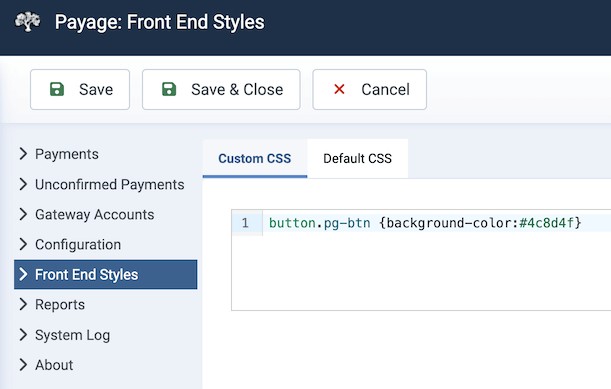
The Custom CSS tab is a text editor for your rules. The "Default CSS" tab shows the contents of the supplied payage.css file, but does not allow it to be changed.
If you enter some CSS in the "Custom CSS" tab and click Save, your CSS is written to the file:
/media/com_payage/css/payage_custom.cssIf you entered any text into the Custom CSS tab, this file is loaded after the default file, so any rules that you write will override the default rules. For example, let's say you want to change the buttons on the Invoice Request form to green. In the Default CSS tab you can find this rule:
button.pg-btn {background-color:#0079C1; ..... }Copy and paste this rule into the Custom CSS tab, and change the colour to green:
button.pg-btn {background-color:#4c8d4f} When you click Save, your CSS is written to the payage_custom.css file, which is loaded after the payage.css file, so your rule takes precedence, and you now have green buttons.