The Confirmation Dialog Box
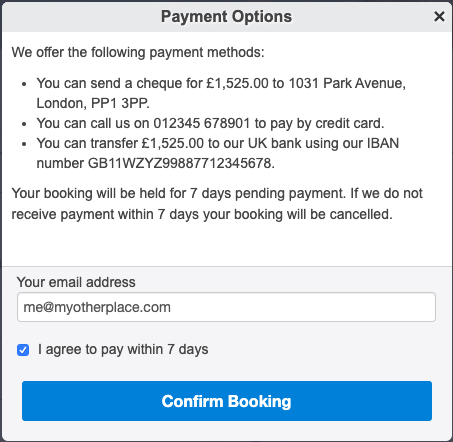
If you specify any confirmation text, or you enable "Collect payer name" or "Collect payer email", the confirmation dialog box is shown. You can set the heading, main text, optional checkbox text, and the button text. If the confirmation dialog is not needed, clicking the payment button records the payment immediately.
If you specify some text for the Confirmation checkbox, the checkbox is shown and the button is initially disabled. Checking the checkbox enables the button.
If you leave the checkbox text blank, the checkbox is not shown and the button is always enabled.