Creating a New Account
To create a new account, click the New button. The next screen shows a list of the gateway types that you can choose from, depending on which gateways you have installed.
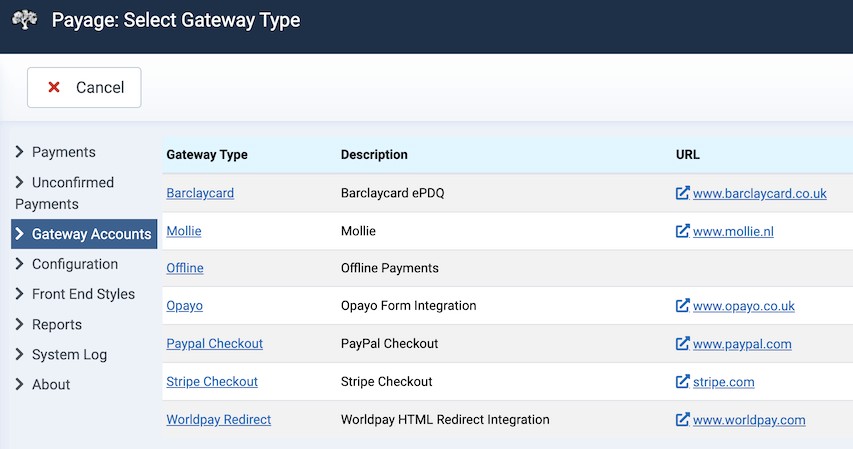
Click on a gateway type to select it. The next page is the setup screen for the chosen gateway type.
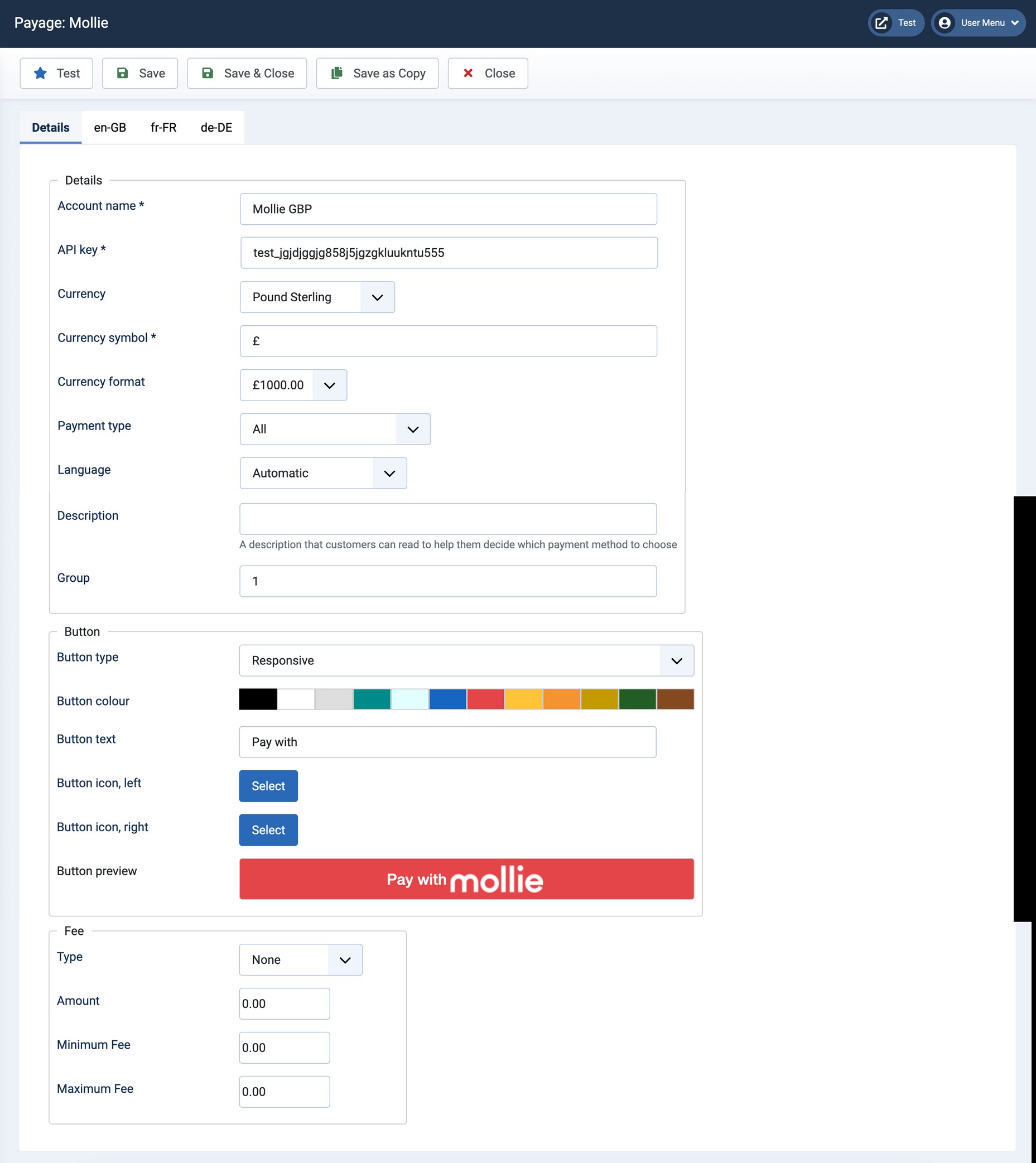
Some of the fields on this page are common to multiple gateway types, and some are specific to the particular gateway type. This section describes the fields that are common to multiple gateway types. Not all gateways use all of these fields.
| Option | Description |
|---|---|
| Account name | This is only for your reference. It has no connection with the payment gateway. |
| The email address used to login to the account. | |
| Language | The language customers see when they arrive at the payment gateway. The options available vary from gateway to gateway. Where there is an "Auto" option the gateway will try to determine the user's language but this does not always work well so you may need to set a specific language. |
| Currency | An account only works for a single currency. If your application can request payment buttons in multiple currencies, you must create an account for each currency that you use. |
| Currency symbol | The currency symbol is used internally in Payage and also to format the fee amount that may be displayed with the payment button. |
| Currency format | As above. |
| Description | The text shown near the payment button in some layouts. For example, "Click here to pay securely with PayPal". |
| Group | The account group that this account belongs to. If you don't use account groups just leave this set to its default value of 1. |
| Button type | The payment button can be an image or a responsive HTML button. |
| Button image | For image buttons, choose the image. |
| Button Title | For image buttons, the text shown when you hover over the image. |
| Button colour | For responsive buttons, the main colour. |
| Button text | For responsive buttons, the text. |
| Button icon, left | For responsive buttons, the left image. |
| Button icon, right | For responsive buttons, the right image. |
Fees
Payment fees can be charged to the customer in addition to the transaction amount. Since the fees you pay for using the gateways is different for each gateway, it is useful to be able to charge customers different fees for different gateways. Payment fees are illegal in some countries.
Applications can show fees alongside your payment buttons to help customers decide which payment method to use.
The fee can be a fixed amount, or a percentage of the amount being collected, subject to a minimum or maximum amount.
For a fixed fee, the "Amount" is a fixed amount in the account currency. For fixed fees, the minimum and maximum amounts are ignored.
For a percentage fee, the "Amount" is a percentage of the amount currently being collected, and is subject to the specified minimum and maximum amount in the account currency. A maximum fee of 0 (zero) means there is no maximum and the percentage is always applied.