Managing Trace
Plotalot has a built-in trace feature, which is very useful for resolving complex problems. If you contact us with a problem, we will sometimes ask you to send us a trace. Of course there is nothing to stop you examining the trace yourself before contacting us. You might be able to spot the cause of the problem yourself. The trace is especially useful for understanding how variables are resolved.
To obtain a trace, in the administration interface, go to the Plotalot About page. Review the path given for the trace file. You can leave the default or enter a different path. It must be an absolute path, but for convenience, you can start the path with JPATH_SITE/ which will mean the rest of the path is relative to the document root for your site. Depending on your hosting, it is preferable to use a location outside the document root, so that the web server cannot serve the trace file. For example, if it is available, you might use /tmp/plotalot.
Once you are happy with the path for the trace file, you can start using trace. At the bottom of the page are two buttons. Click the On button. A link to the trace file is displayed, but don't download the file yet.

Now make Plotalot draw the chart you want to trace. You can use the front end, or the back end, or the plugin. If you use the plugin, make sure Plotalot caching is disabled.
Make sure you do not draw any charts after the one you need help with, because each new chart starts a new trace file.
Now go back to the Help and Support page, right click on the "Trace File" link, and save it to your computer.
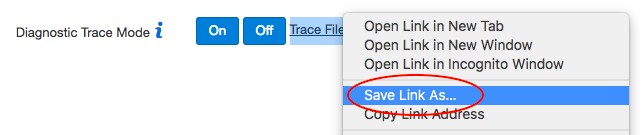
Once you have downloaded the trace file, click the Off button to switch tracing off. The trace file will be deleted. Active trace files might be accessible over the web and might contain sensitive information, so it's important to switch tracing off after use.
The trace file contains all of the data retrieved by the query. You can edit the trace file to remove or modify any sensitive data before sending it to us.
Please send trace files to us as attachments. Please don't paste the contents into an email as it obscures the conversation.