Responsive Tables
These are also HTML tables, but instead of <table>, <tr>, and <td> elements, they use <div> elements with
classes that correspond to the table, rows and cells. The supplied front end CSS file provides the styling. The
HTML is constructed by the Plotalot code running on your server, and is delivered to the user's browser in the
usual way. No Javascript is involved. In their full width format, responsive tables look exactly the same as
Plotalot tables.
The following additional fields are shown for Responsive tables.
Title
This can be fixed text or a SQL query. If the result is non-blank, it is added to the table as the top row.
Column Headings
This option will either include the column names as headings or not, as you choose. You can modify the heading names as described for Plotalot tables.
Width and Height
If you leave these fields blank, the table takes as much space as it needs. If you enter numbers (in pixels) in either of these fields, the table is contained within the dimensions specified, with scrollbars if necessary. In responsive "narrow" mode, the width and height are ignored.
Classes and Styling
The table editor lets you enter a class name for the outermost
The Plotalot front end CSS file is loaded for Responsive tables, so you can add your own styling there.
Responsive Behaviour
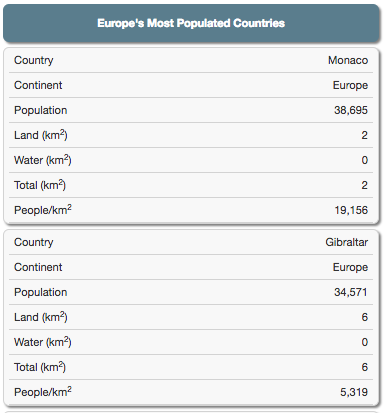
On larger screens, the supplied styling makes Responsive Tables look exactly the same as the Plotalot sample table. But on small screens, Responsive Tables completely change their layout, with each row becoming a separate list, in a format that works well on even the smallest of screens.