Geo Charts
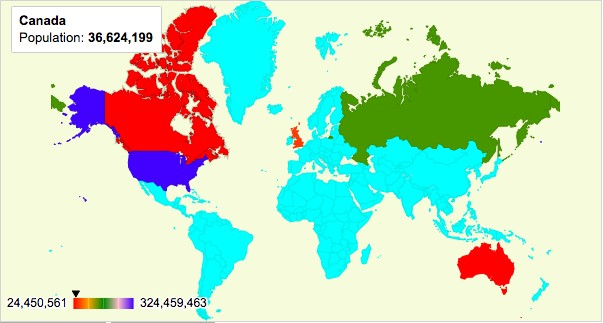
Plotalot support Geo Charts in four modes:
- Region Mode shows each defined region in a separate colour, with a numeric value that determines the region's colour, and can be used to convey numeric data for the region. The example above is Region Mode.
- Markers by Address Mode places markers at named locations on the map with tooltips that can convey numeric data.
- Markers by Latitude/Longitude Mode is like Markers by Address Mode but uses coordinates instead of names.
- Text Mode shows the location name on the map.
| Query Requirements |
|
||||||||
| Multiple Plots | No | ||||||||
| Axis Overrides | No | ||||||||
| Data Formatting | No | ||||||||
| Extra Columns |
Yes tooltip |
You need to obtain a free Google Maps API Key for this chart type:
https://developers.google.com/maps/documentation/javascript/get-api-key