Defining a Database
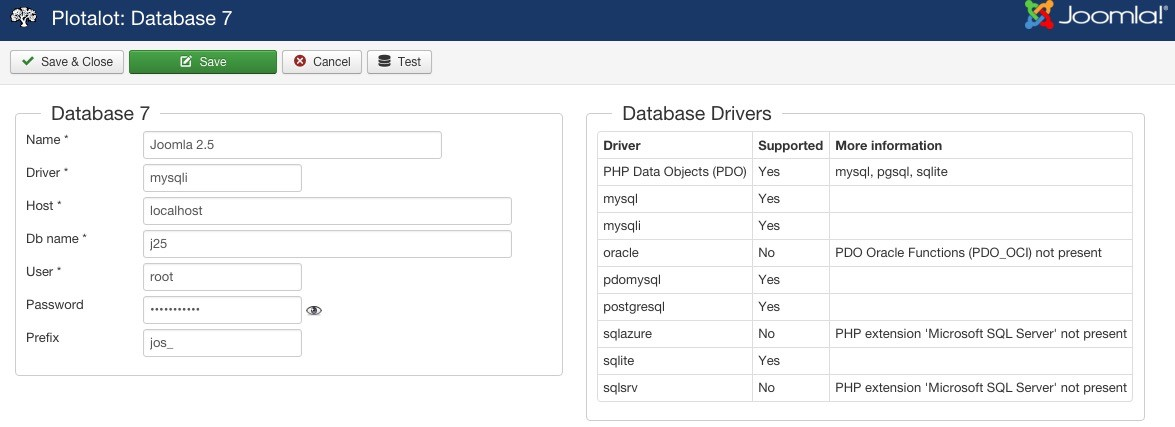
When you create a new database record, you give it a name that you will use to select it in chart definitions. You also supply all of the connection and authorisation parameters. The editor shows a list of the database drivers found on your system, and whether or not your server has the runtime libraries they need.
Name
The name is used to select the database in chart definitions. You can rename database records at any time. They are linked to charts by their internal ID number, not by name.
Driver
Specify the name of a database driver from the right hand panel, for example "oracle".
Host
If a database runs on the same computer as the web server, the host is normally "localhost". If not, you may need to enter its IP address, or its name in the form "db.myhost.com". If the database uses a non-standard port, you can add the port number to the host string, like "db.myhost.com:3307".
Db name
The name of the database on the database server. For Sqlite databases, the database name must be the full absolute pathname of the SqLite database file.
User and Password
The username and password that will be used to connect to the database. These will be stored in the xxx_plotalot_databases table of the Joomla database. The password is obfuscated (not human readable) but not encrypted, so consider creating a special user with the minimum necessary access rights.
Prefix
The table name prefix for the external database, if there is one. If queries to the database use the "#__"
convention, Plotalot will substitute the "#__" for the prefix specified here.
The Test Button
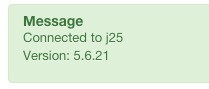
When you have saved the database record, you can use the Test button to check that Plotalot can access it correctly. Plotalot will attempt to connect to the database and query the database version. If the query works correctly you should see a green message with the version number.
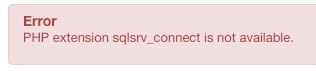
If the connection fails you should see a pink message giving details of the error. In this example, the system does not have the Microsoft Sql Server extension for PHP.