Plotalot Tables
These are HTML tables using <table>, <tr>, and <td> elements. The HTML is constructed by the Plotalot code running on the server, and is delivered to the user's browser in the usual way. No Javascript is involved.
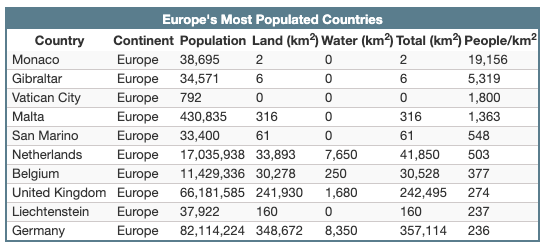
The following additional fields are shown for Plotalot tables.
Title
This can be fixed text or a SQL query. If the result is non-blank, it is added to the table as the top row.
Column Headings
This option will either include the column names as headings or not, as you choose. Your query can modify the heading names using the AS clause.
SELECTproduct_nameASProduct, FORMAT(net_price, 2) ASNet Price``
Classes and Styling
The table editor lets you enter your own class names for the various elements of Plotalot tables. The sample table uses the class names shown, which have default styles defined in the supplied plotalot.css file.
| Name | Html Element to Which the Class is Applied | Sample Table Class Name |
|---|---|---|
| Table Style | <table> |
plots1 |
| Title row style | <th> |
title |
| Heading row style | <tr> |
heading |
| Odd row style | <tr> |
odd |
| Even row style | <tr> |
even |
If you apply the sample table class names to your tables, your tables will be styled like the sample table above.
If your front end site template loads the Bootstrap CSS, you can create well formatted tables simply by setting the table class to "table table-bordered table-striped table-condensed width-auto".
The Plotalot front end CSS file is loaded for Plotalot tables, so you can add your own styling there.
Responsive Behaviour
Plotalot tables are not responsive so are best used for small tables with only a few columns.