Line Charts and Area Charts
Line charts can have up to 20 plots, with each plot representing one line on the chart. Area charts are very similar, but have the area under the lines filled with colour.
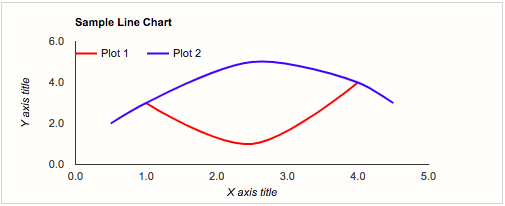
| Query Requirements | Column 1: Numeric - the X value Column 2: Numeric - the Y value The query for each plot must return two columns, the first being the X, or horizontal, axis, and the second being the Y, or vertical axis. Both values must be numeric. If the X axis relates to dates or time, it must be a Unix time value. |
| Multiple Plots | Yes Each plot has its own SQL query, a colour, a name, and a line style. |
| Axis Overrides | Both X and Y You can override the automatic axis limits calculated from the data series. The example above extends the Y axis from 0 to 30°C. |
| Data Formatting | Both X and Y You can apply formatting to the X and Y axis labels. For example if the X axis data represents Unix time (seconds since 1st January 1970), you can use the formatting options to display many different date or time formats. In the example above, the X axis is formatted to show hours. There are also many numeric formats to choose from. |
| Extra Columns | Yes annotation, annotationText, certainty, emphasis, interval, scope, tooltip |
Plots and plot options are discussed further in the section on Plot Options. Axis Overrides are discussed further in the section on Axis Options.
For area charts with multiple plots, all the plots must return exactly the same set of X values. The underlying reason is that the Google Charts API does not currently support "interpolateNulls:true" for area charts, as it does for line charts. Failure to adhere to this restriction will result in incorrect charts being drawn.