Showing Charts Using a Menu Item
The best way to add charts to your site is to use the Plotalot Plugin, which allows you to add as many charts as you like, anywhere in any article. The plugin also performs caching of charts to improve performance.
You can, however, add charts to your site in a simplistic way by using the Component View.
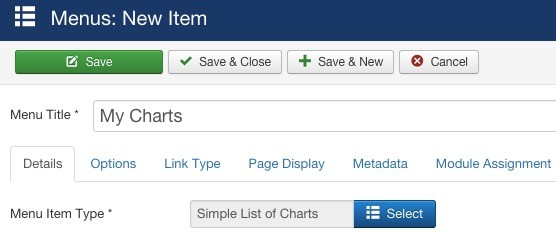
Configure a menu item of type Plotalot, "Simple List of Charts".
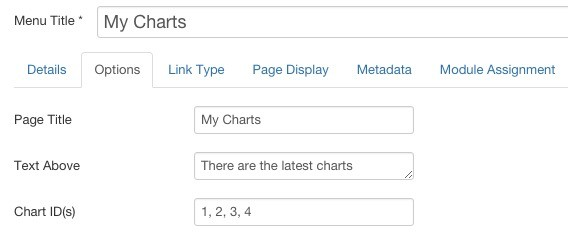
On the Options panel, you can then enter a page title, some text to be displayed above and below your charts, and a list of chart ID’s. You can show more than one chart by supplying a comma delimited list. But there is no way to control the layout or appearance here.